

How to make Spotify Better
The best audio platform in the world - but still not perfect
- 1
Fix the gap between mobile and desktop
Spotify’s podcast experience is inconsistent between the mobile and desktop apps. On mobile, users can search within a podcast using “Find in this show” - on desktop, that option doesn’t exist. Another inconsistency appears in the filters: desktop offers an “Unplayed” filter, while on mobile the equivalent content is grouped under “Not finished”. That’s confusing, because “Not finished” implies an episode was already started, even though it also includes unplayed ones. The experience could be improved by aligning the core discovery tools across platforms - consistent playback-state filters (Unplayed, In progress, Finished) and a scoped in-podcast search on desktop. Consistency in these fundamentals would make podcast discovery faster, clearer, and more predictable.
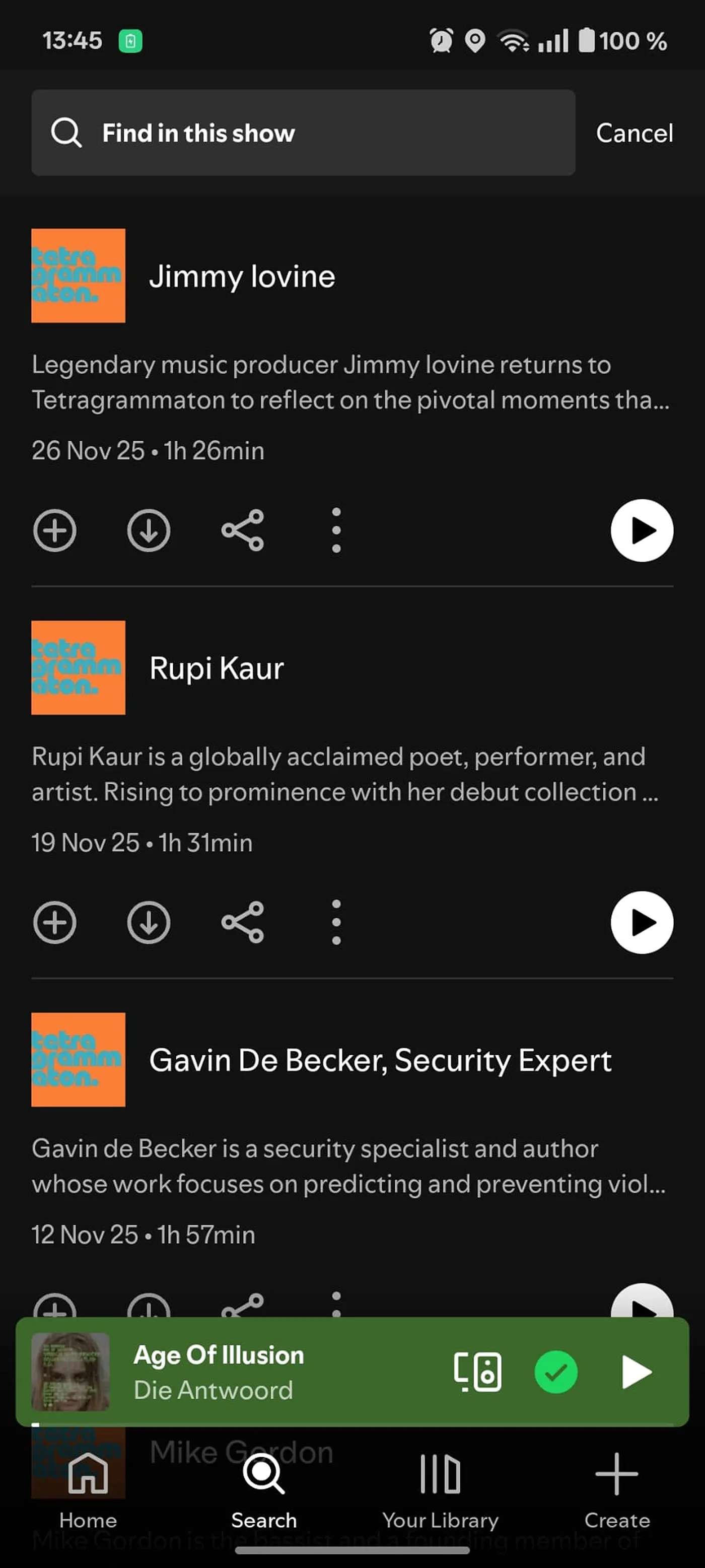
Mobile app version - “Find in this show” feature is available 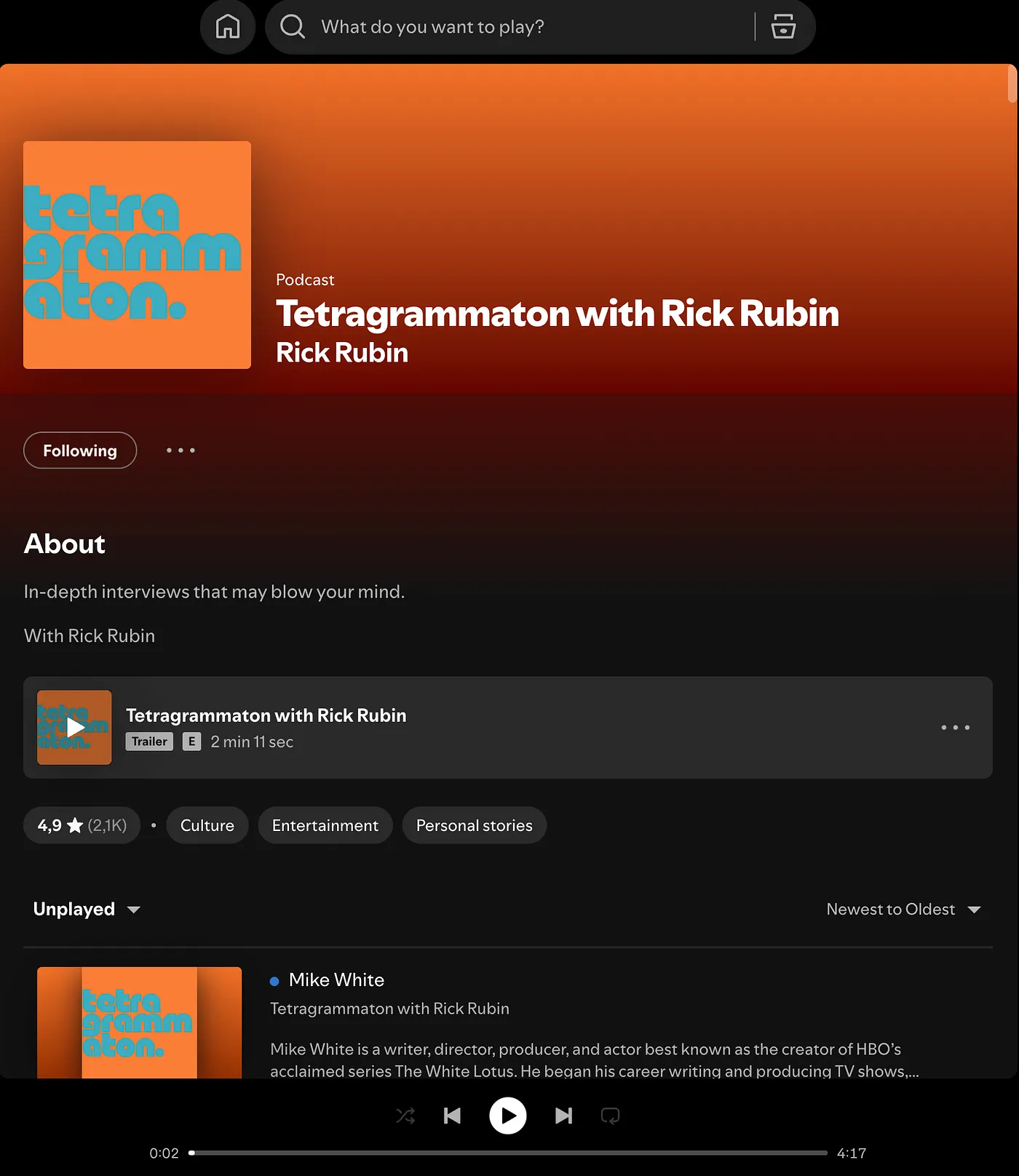
Desktop version - “Find in this show” feature is not available 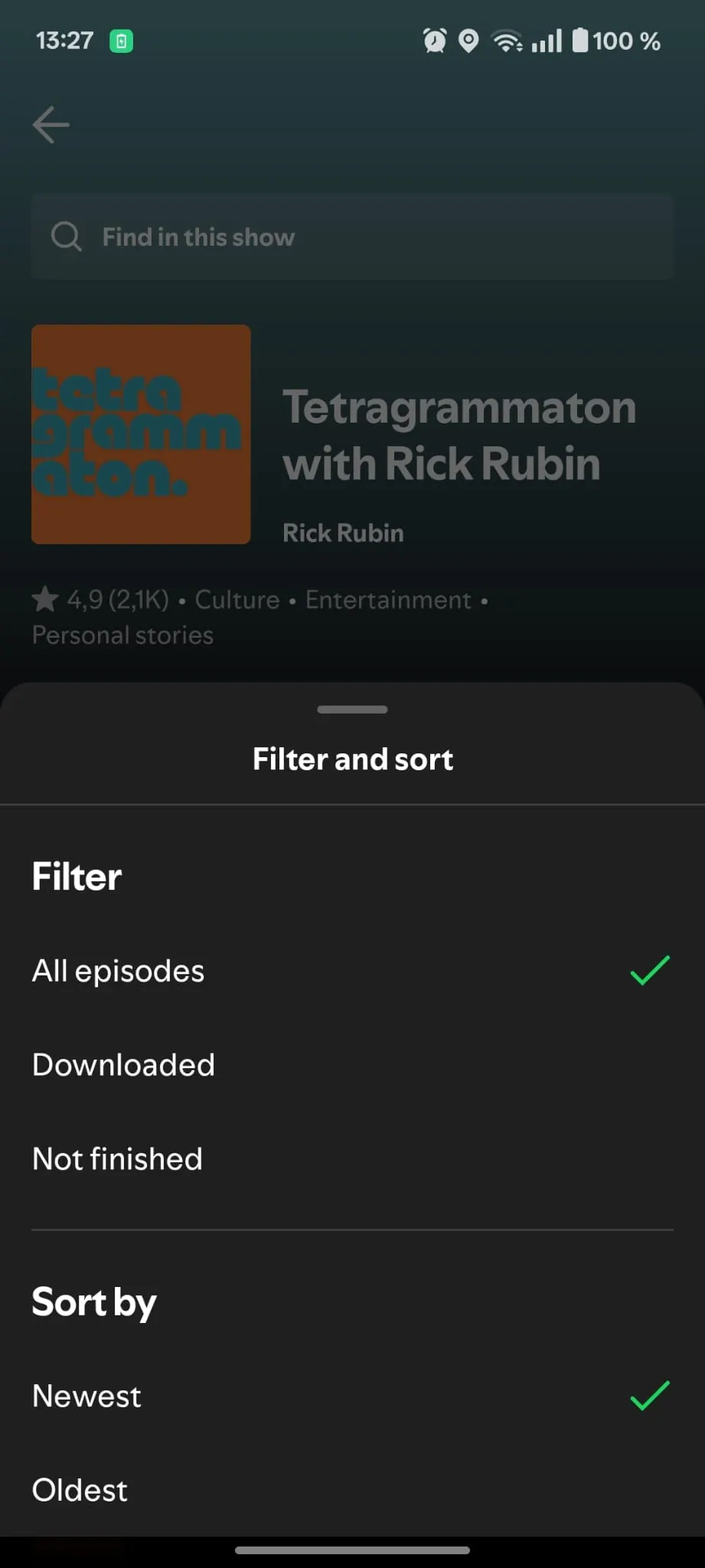
Mobile version - filter name is “Not finished” 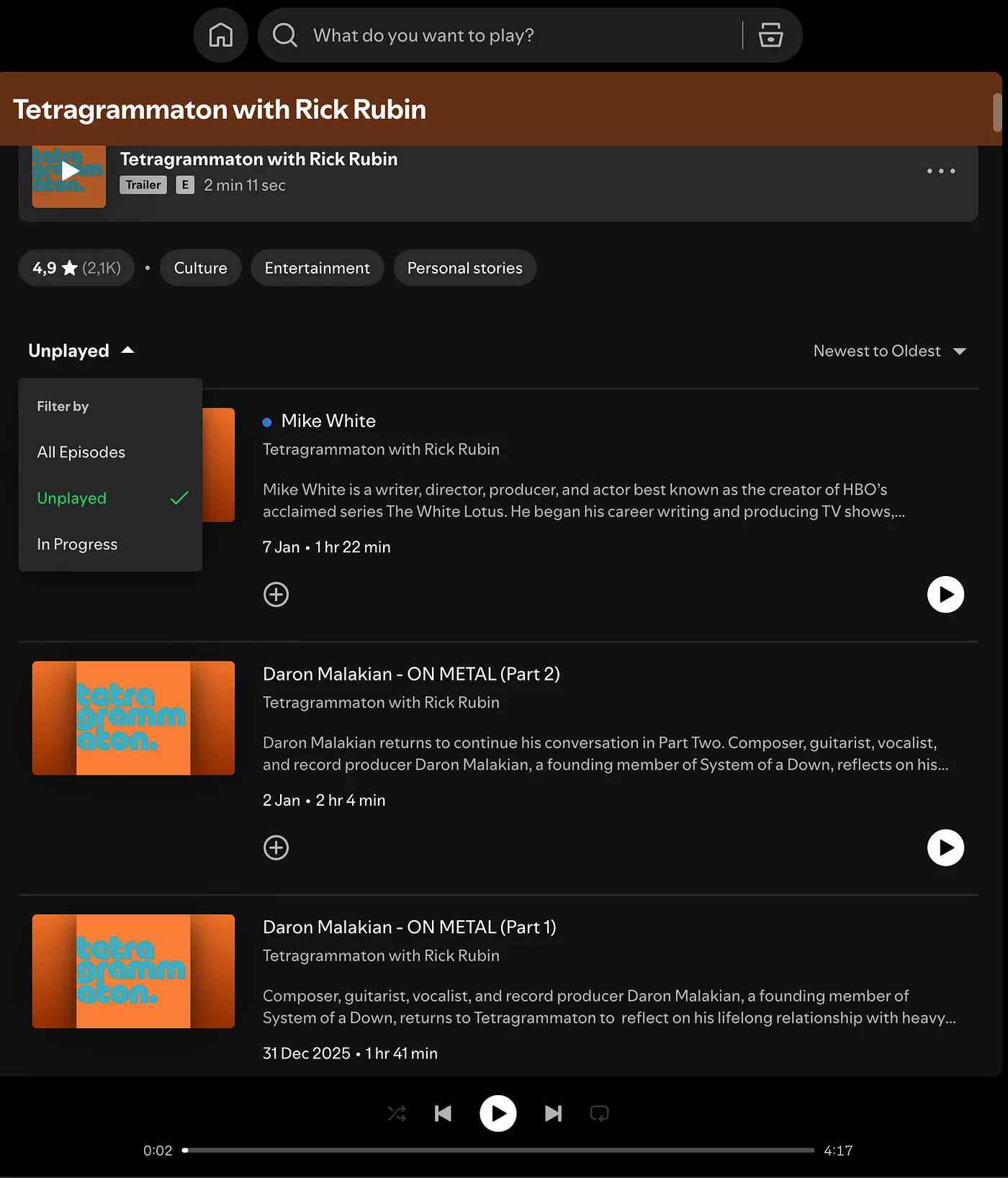
Desktop version - filter name is “Unplayed” - 2
Allow sorting episodes by length
Imagine you’re about to start a 45-minute drive and want to listen to an episode from one of your favorite podcasts. Since Spotify doesn’t let you sort podcast episodes by length, today you have to scroll through the list by hand to find a suitable one. I redesigned the “Filter and sort” section to add duration-based sorting - Longest and Shortest - with optional quick filters like “Under 30 minutes”, “30-60 minutes” and “Over 60 minutes” to further support your listening needs.
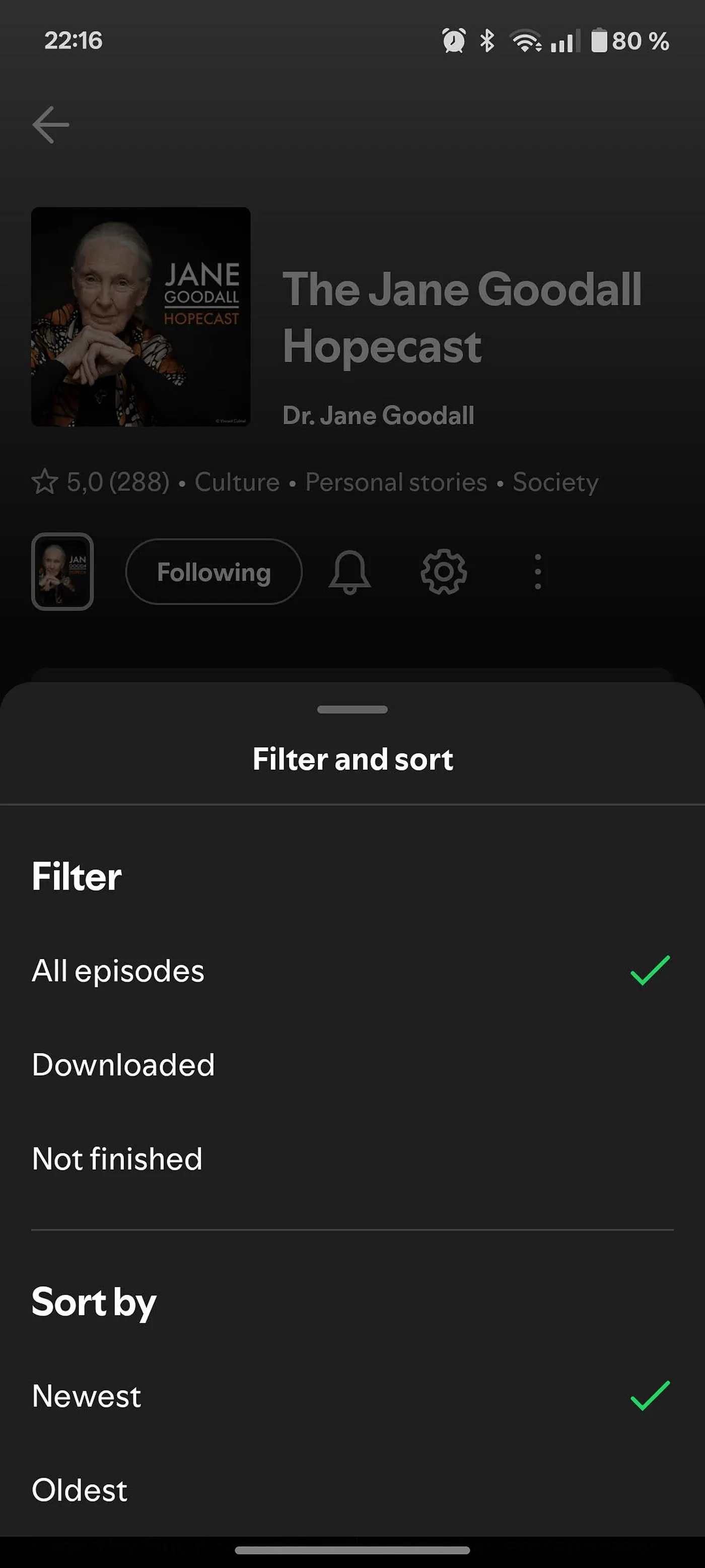
Original - only “Newest” and “Oldest”; sorting by length is not available 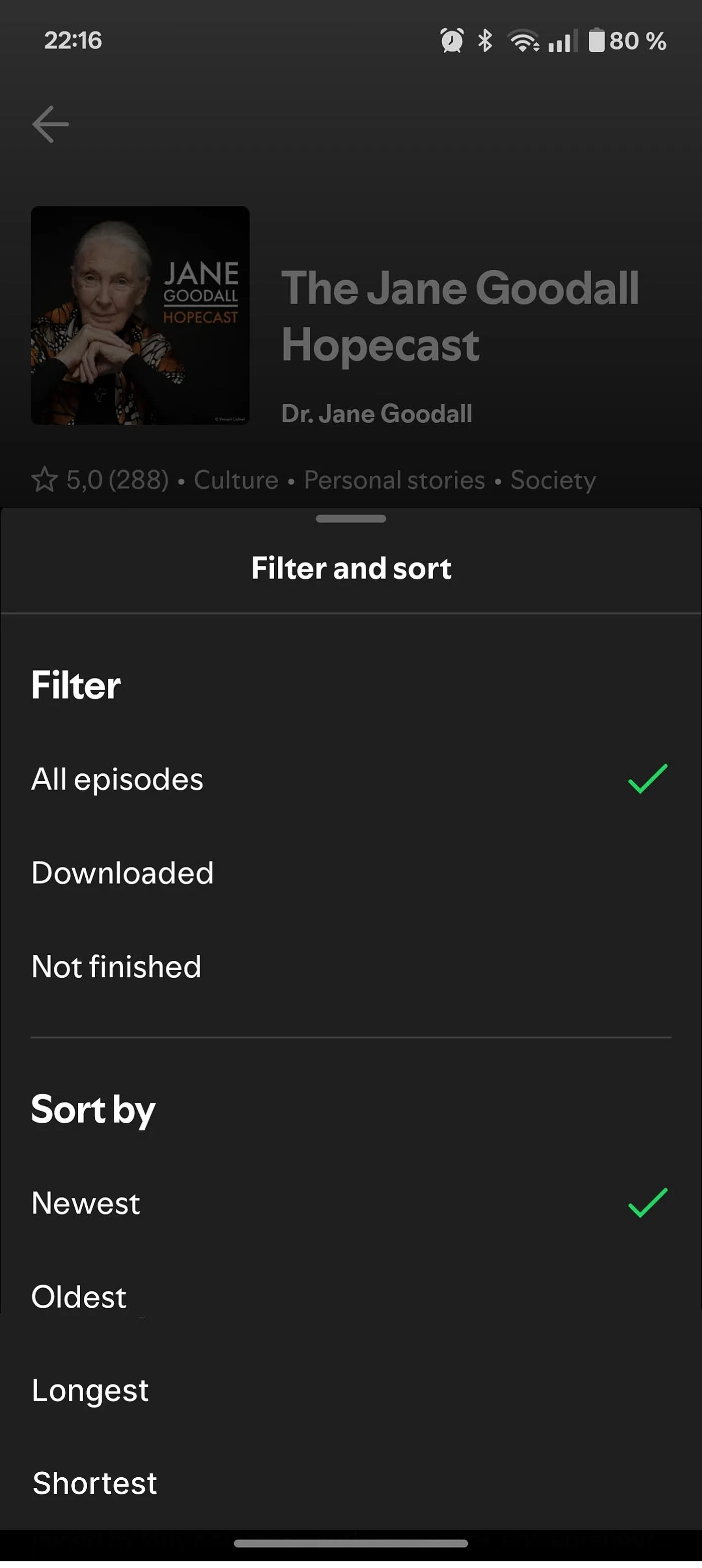
Mockup - two extra sorting options: “Longest” and “Shortest” - 3
Allow “Jump right in” within a podcast
When returning to a podcast, it would be far more user-friendly if Spotify instantly located the last episode you haven’t finished, rather than making you search for it in the episode list. A simple “Jump right in” entry point would reduce friction and support continuity. The idea already exists on the desktop home under “Pick up where you left off”, but it deserves a per-show shortcut. In the mockup I also tucked the bottom navigation bar behind the background, to avoid overlapping elements that aren’t fully visible or clickable anyway.
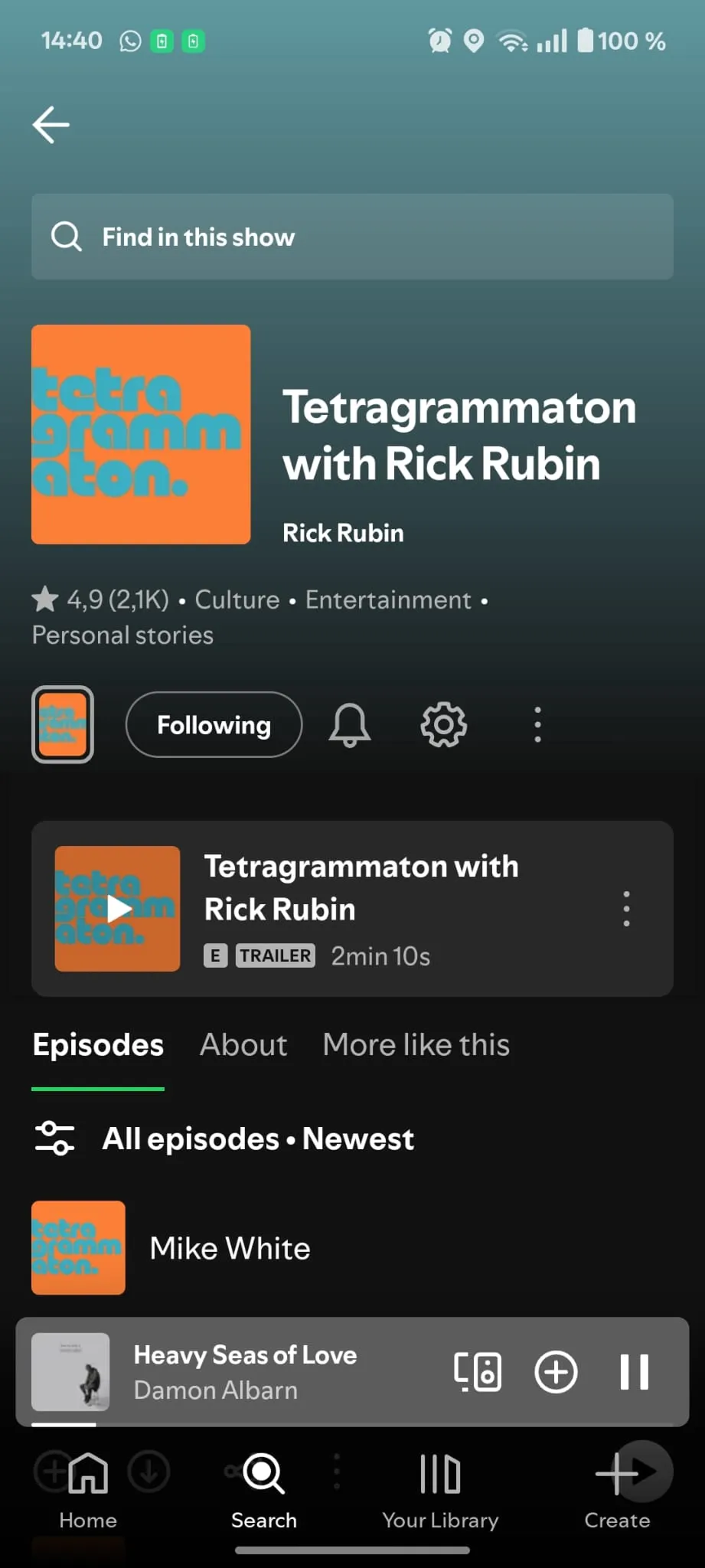
“Jump right in” (to the last episode played) is not available within a podcast 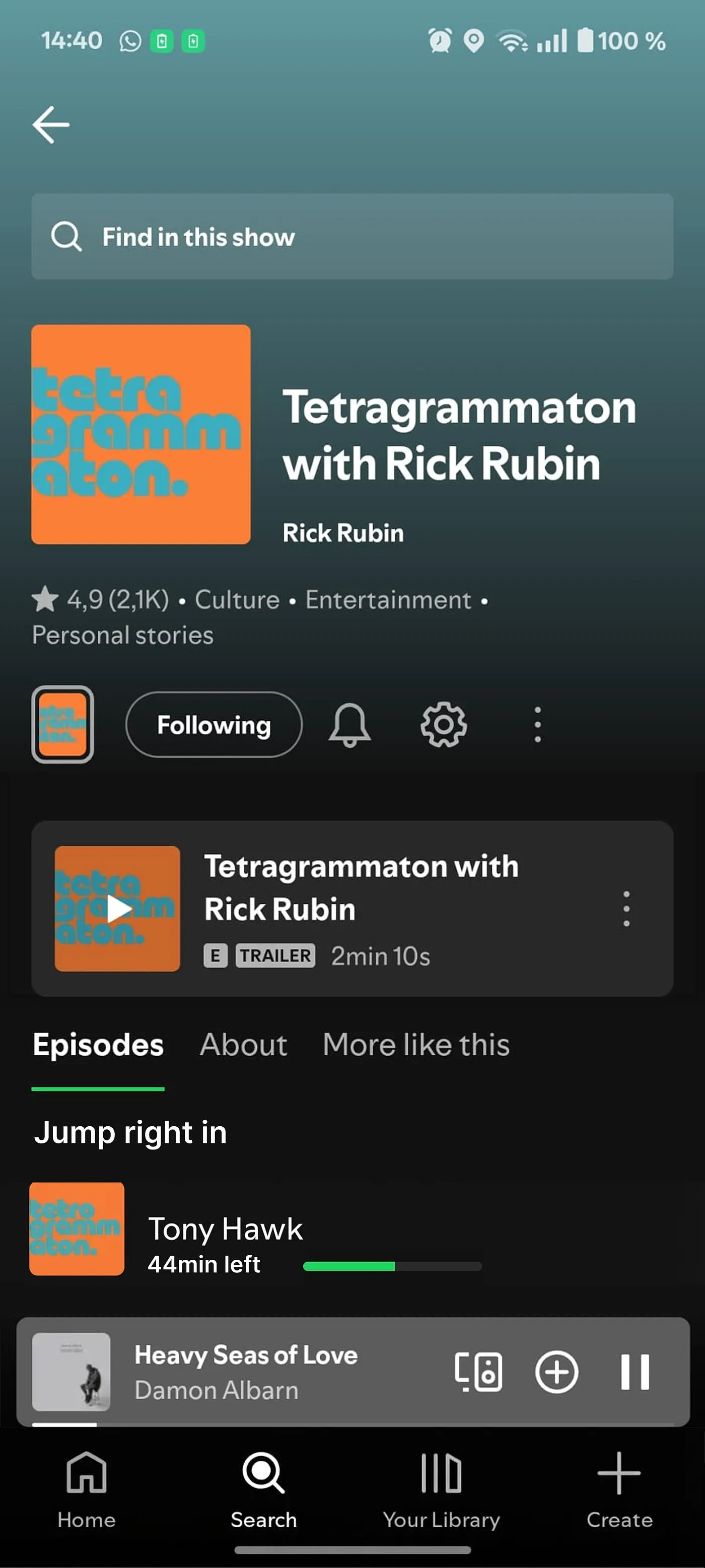
Mockup - “Jump right in” to the last episode played, at the top of the show - 4
Add a repeat option for podcasts
In some cases, repeating a podcast episode makes sense. During a meditation session, for example, you might want to loop a short episode to reach a desired session length. Today the app allows repeat for music tracks but not for podcasts. Adding a repeat option in podcast mode would enable new use cases without compromising existing behavior.
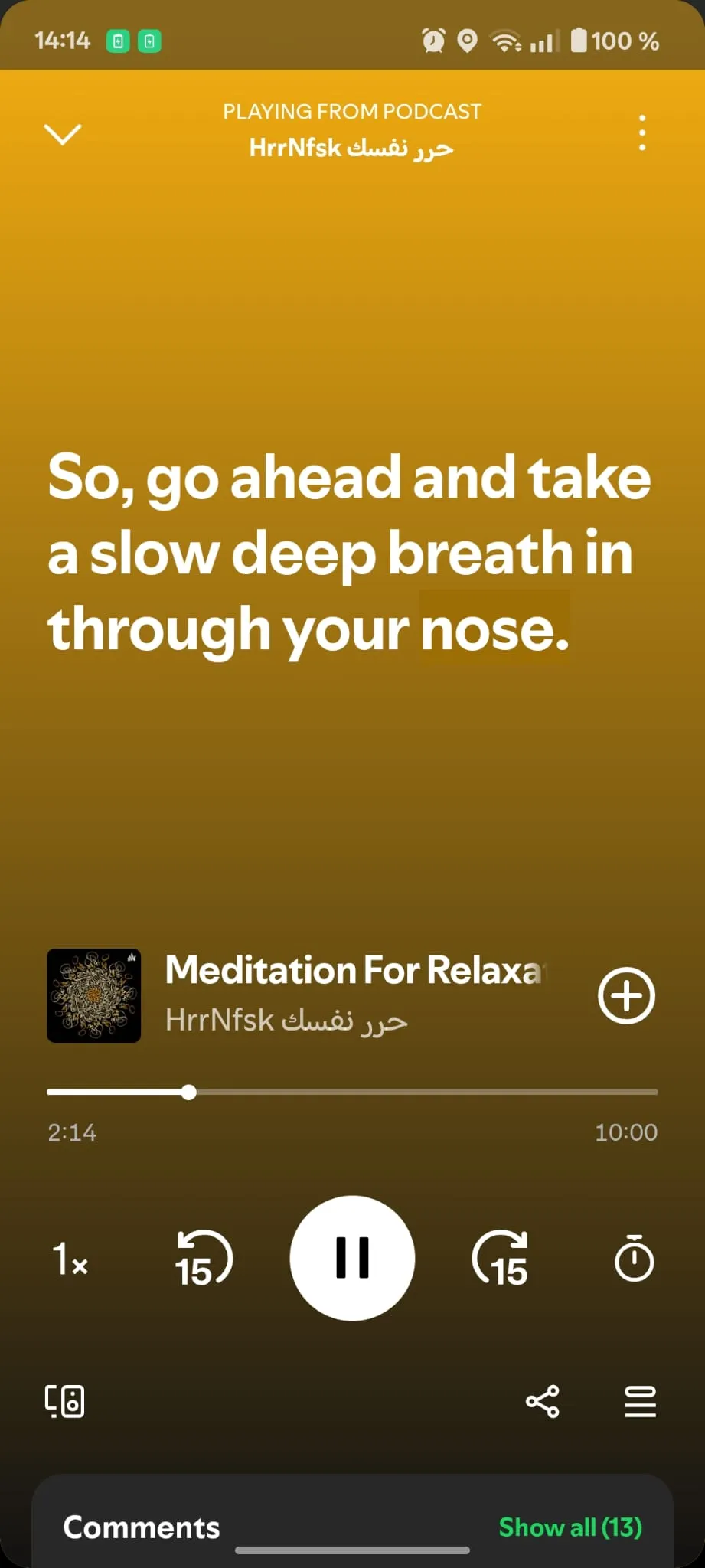
Repeat option is not available for podcasts 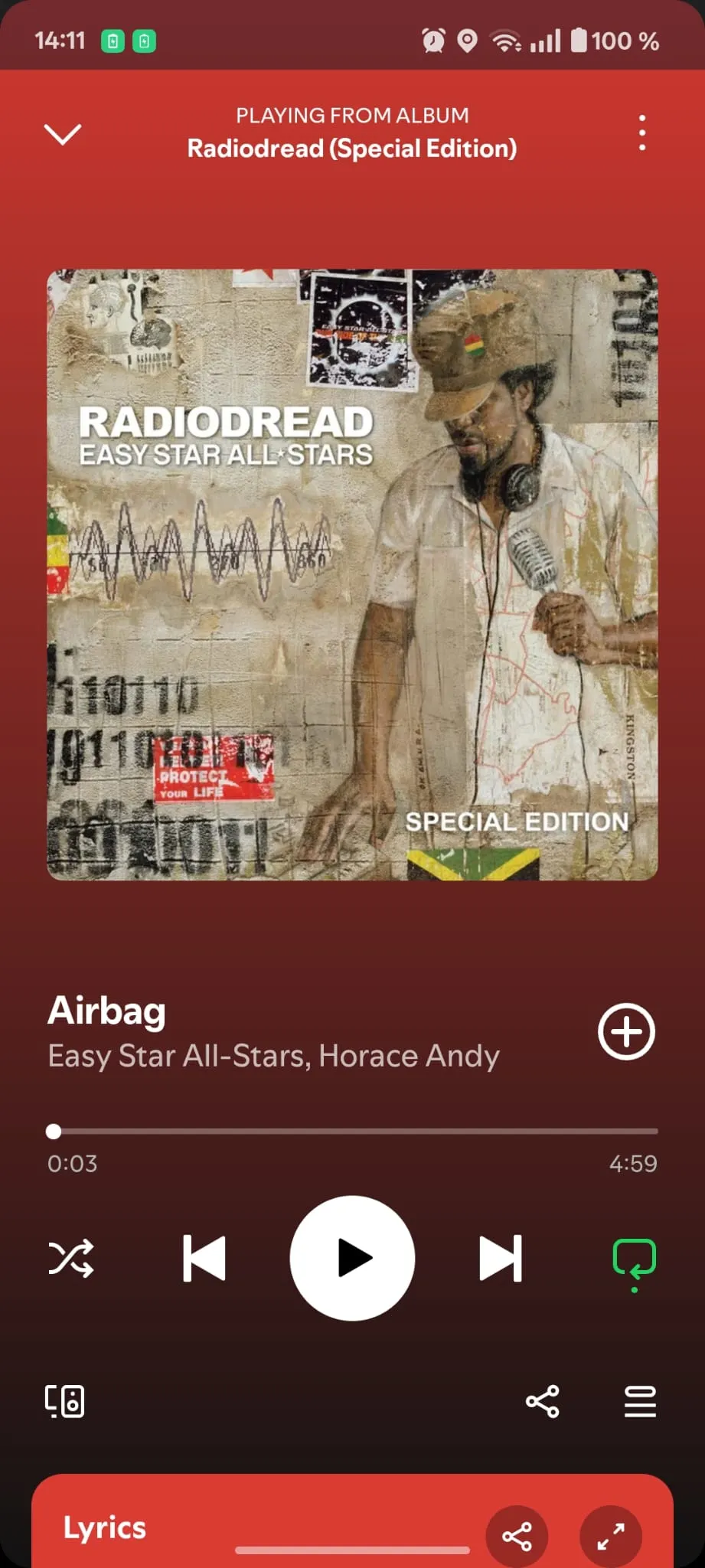
Repeat option is available only for tracks - 5
Sharing your Liked Songs playlist
Your Liked Songs playlist is your musical DNA, and it should stay private by default - but that doesn’t mean it should be impossible to share with friends. There are workarounds, but Spotify could give users the freedom to explicitly choose to share their Liked Songs when they want to. Opt-in sharing would preserve privacy while empowering people with more control over their own content.
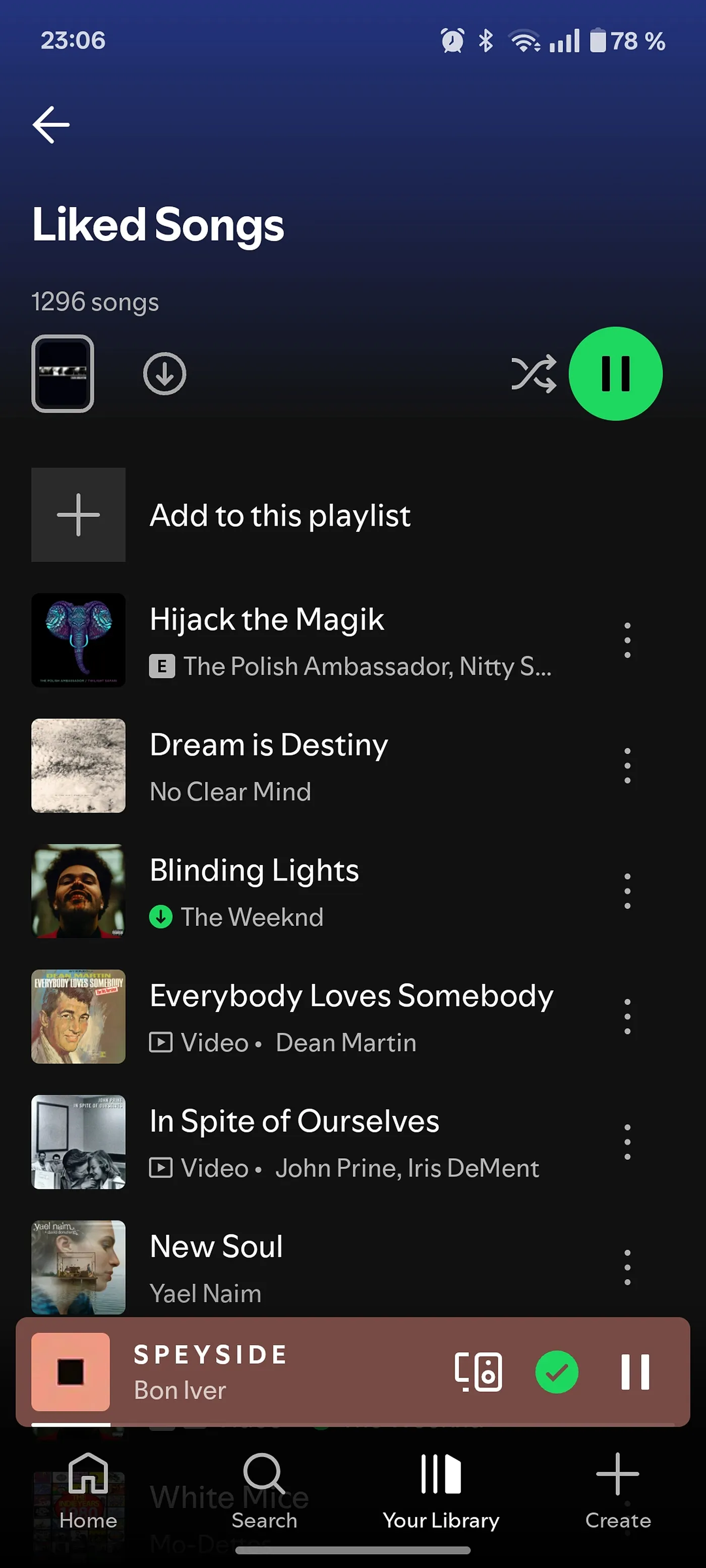
Original - no share button on Liked Songs 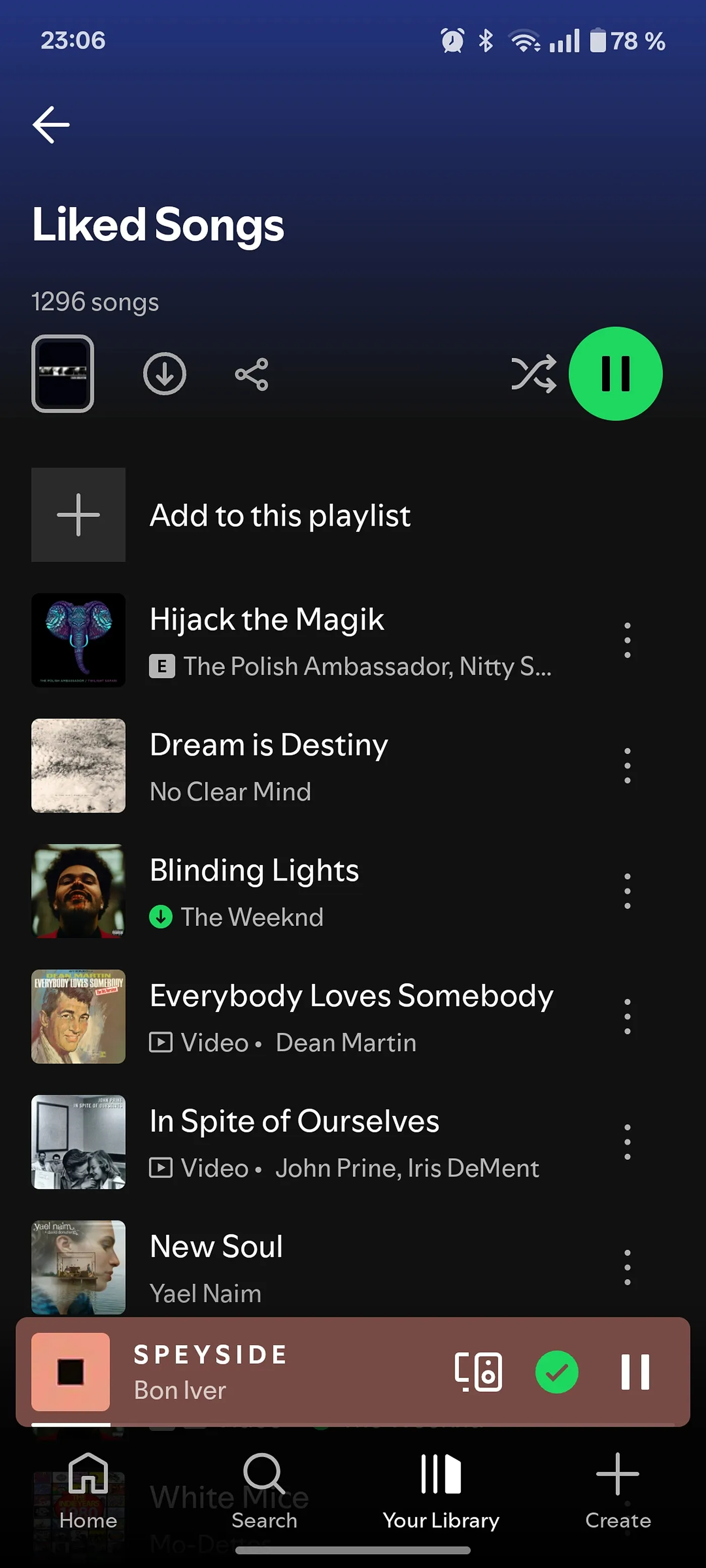
Mockup - a share button on Liked Songs